![East Africa eVisa Document Upload: Accepted File Types, Size Limits & Compression Tips [2026]](https://east-africa-evisa.info/wp-content/uploads/2026/08/hero-ai-East-Africa-Tourist-Visa-1788163194.webp)
Published: 15 March 2026 | Last reviewed: 10 September 2026. This is an independent guide for travellers, not affiliated with any government agency. Always verify requirements on the relevant immigration portal before submitting.
The East Africa eVisa document upload accepts PDF and JPEG files capped at 2 MB per document, with Kenya’s passport photo limit set at just 293 KB. British travellers applying through Uganda, Kenya, or Rwanda portals in 2026 must ensure passport bio-data page scans, photographs, and supporting documents meet strict technical specs to avoid rejections.
For the East Africa eVisa document upload in 2026, accept PDF or JPEG/JPG files. Most portals allow a maximum of 2 MB per document, except Kenya’s passport photo, which must be under 293 KB. Compress files using free tools such as Smallpdf, iLovePDF, or Squoosh before uploading.
East Africa eVisa Document Upload – Accepted Formats, Size Limits & Upload Process
The East Africa eVisa document upload accepts only PDF and JPEG/JPG files. Most documents are capped at 2 MB, but Kenya’s passport photo limit is just 293 KB. The upload is at Step 5 of the online application, between the form and payment. PDF and JPEG ensure universal OCR compatibility and standard rendering across browsers.
Automated validation rejects PNG, TIFF, and HEIC files. Convert these to PDF or JPEG before submission. According to Kenya eTA portal guidelines (2026), passport photos must be in JPEG format and not exceed 293 KB. Aim 10-20% below the stated limit to account for portal overhead during the East Africa eVisa document upload.
| Document | Uganda (visas.immigration.go.ug) | Kenya (etakenya.go.ke) | Rwanda (migration.gov.rw) |
|---|---|---|---|
| Passport bio-data page | PDF, JPEG – max 2 MB | PDF, JPEG – max 2 MB | PDF, JPEG – max 2 MB |
| Passport photo | JPEG – max 1 MB | JPEG – max 293 KB | JPEG – max 1 MB |
| Yellow fever certificate | PDF, JPEG – max 2 MB | PDF, JPEG – max 2 MB | PDF, JPEG – max 2 MB |
| Travel itinerary | PDF – max 2 MB | PDF – max 2 MB | PDF – max 2 MB |
| Return / onward ticket | PDF – max 2 MB | PDF – max 2 MB | PDF – max 2 MB |
Preparing Each Document for Upload (Scanning, Photos & Smartphone Photography)
Scan passport bio-data pages at 150-300 DPI in full colour and save as PDF or JPEG under 2 MB to prevent rejections during the East Africa eVisa document upload.
Scanning Your Passport Bio-Data Page
- Resolution: 150-300 DPI; full colour, RGB mode
- Crop to bio-data page only – no cover, no back page, no borders
- Passport must be valid for at least 6 months from planned entry date; must be signed
Passport Photo Specifications
- Minimum dimensions: 600 x 600 px, 1:1 aspect ratio (2 x 2 inches)
- Background: plain white or off-white; taken within the last six months
- Format: JPEG only; colour profile: sRGB (not CMYK)
Yellow Fever Certificate Upload
- Required only if arriving from a yellow-fever-endemic country; direct flights from Europe/USA/Asia are exempt
- Scan the booklet page showing name, vaccine date, and official stamp
- Format: PDF or JPEG, max 2 MB
Itinerary and Return Ticket
- Format: PDF only, max 2 MB
- Multi-page PDFs may only have the first page processed – split into single-page files if uncertain
- Filename: short ASCII names with underscores (e.g.,
itinerary_return_ticket.pdf); no spaces, special characters (#, %, &), or Unicode
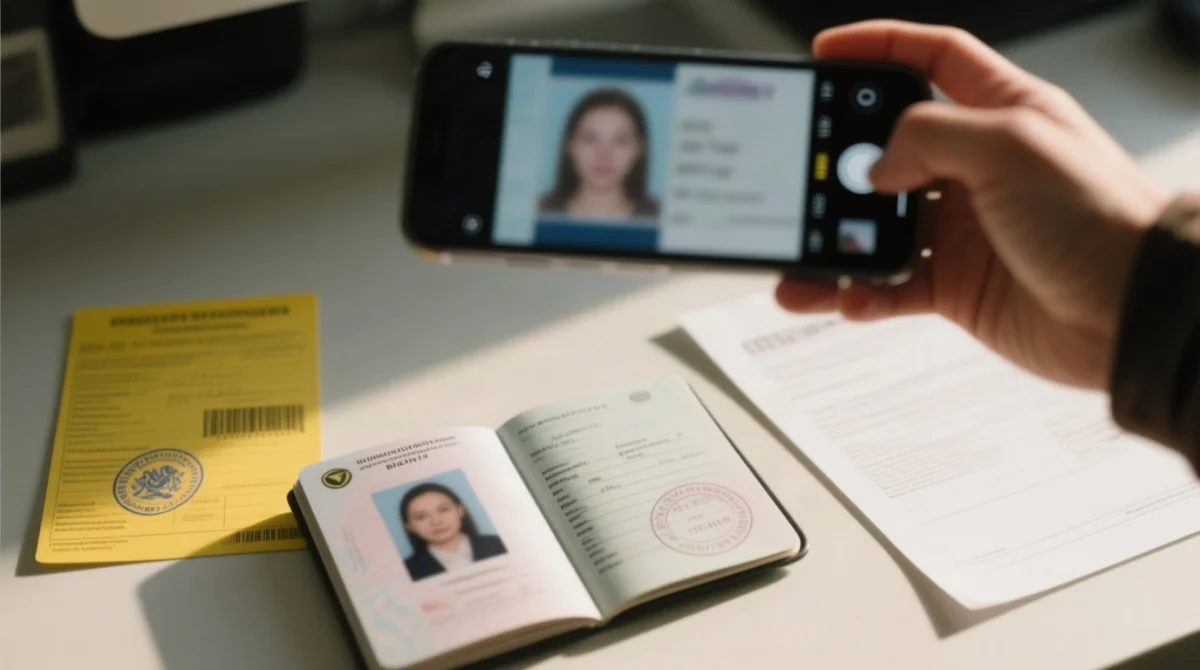
How to Photograph Documents With Your Smartphone
- Lay the document flat on a contrasting surface; use indirect daylight; switch off auto-flash
- Hold phone at a 45-degree angle for glossy booklet pages to reduce glare
- Ensure all four corners are visible; minimum resolution: ~1200 x 1600 px for the East Africa eVisa document upload
![Infografika: East Africa eVisa Document Upload: Accepted File Types, Size Limits & Compression Tips [2026]](https://east-africa-evisa.info/wp-content/uploads/2026/09/east-africa-evisa-document-upload-accepted-file-types-size-limits-compression-tips-2026-20260910-064156.webp)
How to Compress Files to Meet East Africa eVisa Upload Requirements
Oversized documents must be compressed. Free tools like Smallpdf, iLovePDF, and Squoosh can compress a 6 MB phone-scanned passport image to under 2 MB without sacrificing legibility for the East Africa eVisa document upload. During a January 2026 Kenya eTA test application, compressing the passport photo to 280 KB (10% below the 293 KB limit) eliminated the “file too large” error on the first attempt.
Compressing PDF Files
Open a compression tool
Use Smallpdf, iLovePDF, or Adobe Acrobat and select “Reduce File Size” – or Windows “Print to PDF” at lower resolution.
Upload the source file
A phone-scanned passport page is typically 4-6 MB.
Download the compressed output
The result should be under 2 MB.
Verify legibility
Zoom to 100% and confirm all text is readable before uploading.
Compressing and Resizing JPG Images
Open a resizing tool
Use TinyPNG, Squoosh, or macOS Preview (Tools > Adjust Size).
Set maximum resolution
600 x 600 px for passport photos or 1200 x 1600 px for document scans.
Reduce file size for Kenya eTA
Keep passport photo at 293 KB or below using 60-70% quality while keeping text readable.
Portal Differences, Common Upload Errors & Troubleshooting
The three portals have distinct browser requirements, interfaces, and error patterns that applicants can resolve with targeted fixes during the East Africa eVisa document upload. All require the issuing country to be the first point of entry, accept Visa and Mastercard (no PayPal), and apply a USD 2-5 bank surcharge. The EATV fee is USD 100, non-refundable, with standard processing of 6-9 working days and a 90-day validity (non-extendable). Kenya’s eTA portal also processes its own eTA at ~USD 34.09 per person, separate from the EATV fee.
| Portal | URL | Browser | Key Quirk | Entry Port | Processing |
|---|---|---|---|---|---|
| Uganda | visas.immigration.go.ug | Desktop Chrome or Firefox | Date of birth format: DD/MM/YYYY | Entebbe Airport or overland from Kenya | 6-9 working days |
| Kenya | etakenya.go.ke | Desktop Chrome or Firefox | Webcam capture option for passport photos | JKIA, Nairobi | Up to 9 days |
| Rwanda | migration.gov.rw / Irembo | Desktop Chrome or Firefox | Visa class: Class T12 East Africa Tourist Visa | Kigali | 6-9 working days |
For Uganda portal East Africa eVisa document upload issues, contact NCIC at Plot 65/67, Old Port Bell Road, Kampala, Uganda (phone: +256 417 102 600).
| Error Message | Cause | Solution |
|---|---|---|
| “File too large” | File exceeds 2 MB (or 293 KB for Kenya passport photo) | Compress using Smallpdf, iLovePDF, or Squoosh |
| “Invalid file type” | PNG, TIFF, HEIC, or Word file uploaded | Convert to PDF (Print to PDF) or JPEG before uploading |
| “Document is illegible” | Glare, shadows, or cropped edges from phone photography | Retake on flat surface with indirect daylight, all corners visible |
| “Filename not accepted” | Special characters, spaces, or Unicode in filename | Rename to short ASCII with underscores, e.g., passport_bio_data.pdf |
| “Session timed out” | Slow connection; portal session expired | Log back in with application reference number (e.g., 234790123), resume from Step 5 |
| PDF upload fails silently | Password-protected or encrypted PDF | Remove encryption; automated OCR parsers cannot read secured files |
East Africa eVisa Document Upload FAQ
Do file names matter when uploading eVisa documents?
Yes. Use short ASCII names with underscores (e.g., passport_scan.pdf). Avoid spaces, special characters (#, %, &), and Unicode. Incorrect filenames trigger validation errors during the East Africa eVisa document upload.
Can I upload a multi-page PDF to the East Africa eVisa portal?
Some portals accept multi-page PDFs but may process only the first page. Upload each document as a separate single-page file to ensure all information is read during the East Africa eVisa document upload.
Will a password-protected PDF be rejected?
Very likely. Remove encryption before uploading; automated OCR parsers cannot read secured files. Use Adobe Acrobat or a free PDF unlocker.
What is the best browser for uploading eVisa documents in 2026?
Desktop Google Chrome or Mozilla Firefox are recommended for the East Africa eVisa document upload in 2026. Avoid Safari and mobile browsers, which may not support all upload features.
My upload timed out, what should I do?
Log back in with your six-digit application reference number and resume from Step 5. Pre-compress all files and use a stable Wi-Fi connection to prevent repeat failures during the East Africa eVisa document upload.
Do I need to convert my scanned image to RGB colour?
If your scanner outputs CMYK images, convert them to sRGB before uploading to avoid colour-shift issues. Free tools like GIMP or macOS Preview can handle this conversion for the East Africa eVisa document upload.
Which payment methods are accepted after the document upload step?
Uganda accepts Visa and Mastercard only (no PayPal). Kenya accepts Visa, Mastercard, Apple Pay, and Google Pay. Some portals support mobile money. Expect a USD 2-5 bank surcharge after completing the East Africa eVisa document upload.
What happens if I upload a file larger than 2 MB?
The portal will display a “file too large” error, halting your submission. Compress the file using Smallpdf, iLovePDF, or Squoosh, aiming 10-20% below the stated limit for the East Africa eVisa document upload.
Why are only PDF and JPG accepted for East Africa eVisa?
PDF and JPEG ensure universal OCR compatibility and standard rendering across browsers. Other formats like PNG, TIFF, or HEIC lack this consistent compatibility.
How far in advance should I submit my eVisa application?
Submit at least one week before travel. Standard processing is 6-9 working days. Third-party submission (travel agent, family, friend) is permitted. Track status as: Submitted, Under Review, Approved, or Additional Info Required.